The Best Free AI Tools You Should Be Using Right Now
Discover the most powerful free AI tools available today — from writing assistants to image generators — and learn how to use them effectively.

April 13, 2026

Artificial intelligence isn't just for tech giants and deep-pocketed startups anymore. Right now, some of the most powerful AI tools on the planet are available to anyone with an internet connection — completely free. Whether you're a student trying to streamline research, a freelancer looking to boost productivity, or a small business owner wearing too many hats, there's a free AI tool that can genuinely transform how you work. According to a 2025 McKinsey Global Survey, over 72% of organizations now use AI in at least one business function, and much of that adoption is being fueled by accessible, no-cost tools. Let's break down the best ones you should be using right now and exactly how to get the most out of them.
AI Writing and Content Creation Tools
If you create any form of written content — emails, blog posts, social media captions, or reports — AI writing assistants have become indispensable.
ChatGPT (Free Tier)
OpenAI's ChatGPT remains one of the most versatile free AI tools available. The free tier gives you access to GPT-4o mini (and periodic access to GPT-4o), which is more than capable for most everyday tasks. You can use it to:
- Draft and edit emails — Paste in a rough draft and ask it to make the tone more professional or concise.
- Brainstorm content ideas — Ask for 20 blog post ideas in your niche and watch it deliver in seconds.
- Summarize long documents — Drop in a lengthy article or report and request a three-paragraph summary.
- Debug code — Yes, it handles Python, JavaScript, HTML, and more with surprising accuracy.
Pro tip: The more specific your prompt, the better your output. Instead of saying "write me a blog post," try "write a 500-word blog post about sustainable packaging trends for small e-commerce businesses, using a conversational tone and including three actionable tips."
Google Gemini
Google's Gemini (formerly Bard) is a strong ChatGPT alternative, especially if you're already deep in the Google ecosystem. Its standout feature is real-time access to Google Search, which means it can pull in current information rather than relying solely on training data. It's excellent for research tasks, trip planning, and comparing products or ideas with up-to-date context.
Grammarly (Free Version)
While not a generative AI in the traditional sense, Grammarly's free tier uses AI to catch grammar mistakes, improve clarity, and adjust tone. It works as a browser extension, integrating directly into Gmail, Google Docs, LinkedIn, and virtually any text field you type in. For anyone who writes regularly, it's a no-brainer.
AI Image Generation Tools
Visual content is essential for social media, presentations, and marketing — and you no longer need a graphic designer on retainer to get professional-looking images.
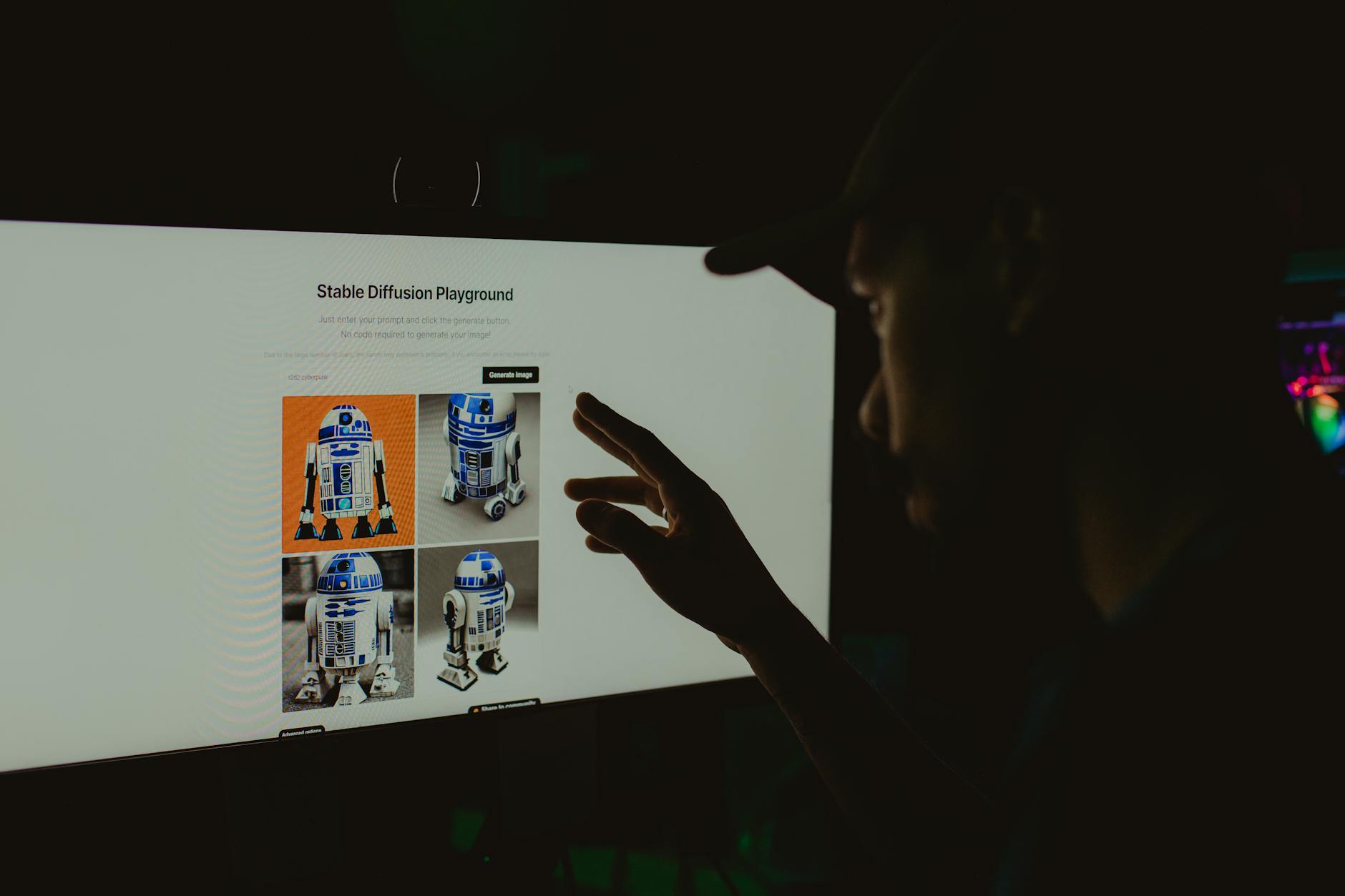
Microsoft Copilot Image Creator
Powered by DALL·E 3, Microsoft's image creator is free to use with a Microsoft account. It generates high-quality images from text prompts and consistently produces some of the best free AI art available. Try prompts like "a cozy coffee shop interior with warm lighting and plants, illustrated in watercolor style" and you'll be genuinely impressed by the results.
Canva Magic Studio
Canva has integrated a suite of AI tools into its free plan, including:
Read also
The Best Free Productivity Apps of 2026- Magic Write — An AI text generator built right into your designs.
- Background Remover (limited free uses) — Instantly isolate subjects in photos.
- Text to Image — Generate custom graphics without leaving the Canva editor.
For non-designers who need to produce polished visuals quickly, Canva's AI features are a game-changer.
Leonardo.AI
Leonardo.AI offers a generous free tier with daily token credits for AI image generation. It's particularly popular among creators who need more control over artistic style, with options for different models, fine-tuning, and even AI-generated textures for 3D assets. If you're into game design, digital art, or creative content, this one deserves your attention.
AI Productivity and Research Tools
Beyond content creation, AI tools can dramatically improve how you organize information, manage tasks, and conduct research.
Notion AI (Free Trial + Free Notion Plan)
Notion's AI features can summarize meeting notes, generate action items from messy text, and even create entire project templates based on a simple description. While the full AI add-on is paid, Notion offers limited free AI queries that are well worth exploring alongside their already excellent free workspace plan.
Perplexity AI
Think of Perplexity as a research assistant that actually cites its sources. Unlike traditional AI chatbots, Perplexity provides answers with direct links to the websites it pulled information from, making it incredibly useful for:
- Academic research — Quickly find cited facts and statistics.
- Fact-checking claims — Verify information before publishing or sharing.
- Competitive analysis — Research competitors, market trends, or industry data with traceable sources.
The free tier is generous and covers most casual to moderate research needs.
Otter.ai (Free Plan)
If you attend a lot of meetings or record interviews, Otter.ai transcribes audio in real time with remarkable accuracy. The free plan gives you 300 minutes of transcription per month and includes AI-generated summaries and action items. It integrates with Zoom, Google Meet, and Microsoft Teams, making it perfect for remote workers.
AI Coding Assistants
Developers — and aspiring developers — have access to some truly powerful free tools.

GitHub Copilot (Free Tier)
GitHub now offers a free tier of Copilot that provides AI-powered code suggestions directly in your editor. It supports Visual Studio Code, JetBrains IDEs, and more. It's trained on billions of lines of public code and can autocomplete functions, suggest fixes, and even write boilerplate code from natural language comments.
Replit AI
Replit's free plan includes an AI assistant that helps you write, debug, and understand code right in the browser. It's especially valuable for beginners learning to code, as you can ask the AI to explain what a block of code does in plain English.
How to Get the Most Out of Free AI Tools
Having access to these tools is one thing. Using them effectively is another. Here are some practical strategies:
- Stack your tools. Use Perplexity for research, ChatGPT for drafting, Grammarly for polishing, and Canva for visuals. Each tool has strengths — combine them into a workflow.
- Learn prompt engineering basics. Spending 30 minutes learning how to write better prompts will multiply the quality of your AI outputs tenfold. Be specific about format, tone, length, and audience.
- Don't skip the review step. AI tools are powerful but imperfect. Always review, fact-check, and edit AI-generated content before publishing or sending it. Treat AI as a first draft generator, not a finished product machine.
- Respect the limits. Free tiers have usage caps. Track your usage and prioritize the tasks where AI adds the most value, saving your free credits for high-impact work.
The Bottom Line
The barrier to using AI has essentially disappeared. You don't need a subscription, a technical background, or a corporate budget to start leveraging these tools today. From writing and design to research and coding, the free AI landscape in 2026 is remarkably powerful — and it's only getting better.

The smartest move you can make right now is to pick two or three tools from this list, integrate them into your daily routine, and start experimenting. You'll be surprised how quickly AI goes from "interesting novelty" to "how did I ever work without this." The tools are free. The only investment required is your curiosity.

